Mechanical keyboards for Mac: Keychron Q1 Pro vs Logitech MX Mechanical vs Apple Magic Keyboard
We compare the three keyboards most bought by Mac users in 2026: Keychron Q1 Pro, Logitech MX Mechanical and Apple Magic Keyboard. Switches, battery life, price and which profile each one is worth it for.
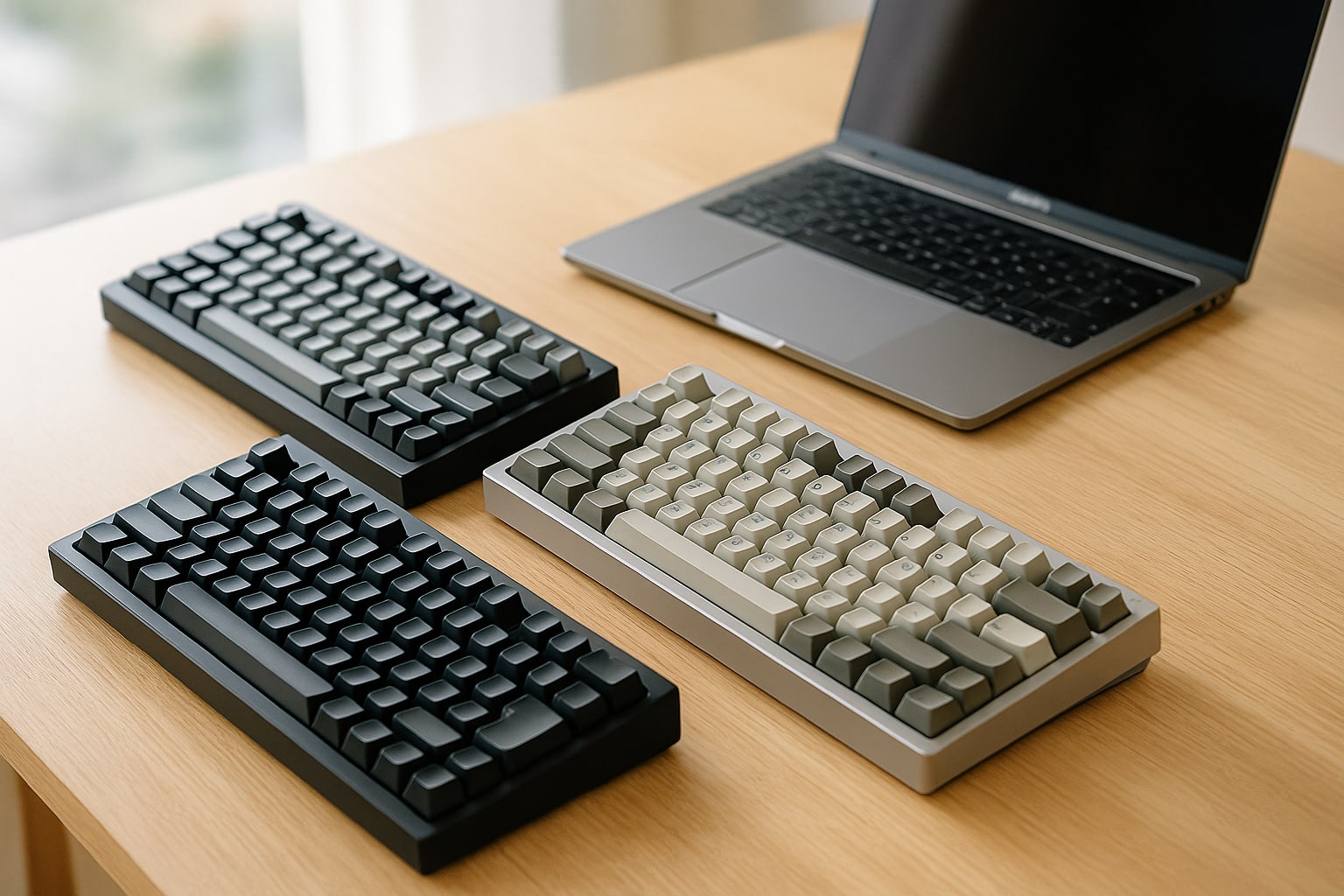
If you write many hours a day on a Mac, the keyboard you use matters as much as the chip inside it. Apple’s Magic Keyboard is correct, quiet and takes up little space. But for many people it falls short: flat travel, zero customization, no backlighting in the standard version. That’s where mechanical keyboards come in.
For months I’ve been using the three candidates most often cited when someone asks about a mechanical keyboard for Mac: the Keychron Q1 Pro, the Logitech MX Mechanical (full-size version) and Apple’s own Magic Keyboard with Touch ID and numeric keypad. All three are wireless, all three work with macOS Sequoia without drama, and all three target very different profiles.
Summary table: specs side by side
| Spec | Keychron Q1 Pro | Logitech MX Mechanical | Apple Magic Keyboard (Touch ID + numeric) |
|---|---|---|---|
| Switch type | Mechanical (Gateron Jupiter, hot-swap) | Low-profile mechanical (Kailh Choc, three options) | Scissor switch |
| Connection | Bluetooth 5.1 / 2.4 GHz / USB-C | Bluetooth Low Energy / Logi Bolt (USB) | Bluetooth 5.0 / Lightning |
| Battery life | Up to 300 h (no RGB) / 100 h (with RGB) | Up to 15 days (with backlight) / 10 months (no backlight) | Approx. 1 month with normal use |
| Backlighting | Per-key RGB, south-facing | White, proximity sensor | No |
| Touch ID | No | No | Yes |
| Weight | 1.6 kg | 828 g | 369 g |
| Spanish RRP | €199 (standard version) | €199.99 | €219 |
Data checked in September 2026 at apple.com/es, keychron.com and logitech.com/es.
Why a mechanical keyboard if you already have a Magic Keyboard
The Magic Keyboard isn’t bad. It’s flat, precise and it works. But it has roughly 1 mm of travel and almost no feedback. If you code 8 hours a day, write long articles or simply feel finger fatigue, a mechanical with 3–4 mm of travel changes the experience.
Also, a well-chosen mechanical keyboard lasts for years and can be repaired. If a key dies on the Magic Keyboard, the whole unit goes to technical support.
macOS compatibility: what to check before buying
All three work on macOS Sequoia 15.x without installing anything. But there are nuances:
- Modifier keys: third-party keyboards often ship with a Windows layout (Ctrl-Win-Alt). On a Mac you need ⌘ (cmd) where your finger expects it. Keychron has a physical Mac/Windows switch. Logitech detects it over Bluetooth and remaps automatically.
- F keys (F1–F12): on a Mac they default to media functions (brightness, volume). If the keyboard doesn’t provide them, you lose those quick shortcuts.
- Touch ID: only works on official Apple keyboards. No third party replicates it, and none will.
- Spanish ISO layout: Apple and Logitech sell it. Keychron has it, but sometimes you have to order it directly from its European website.
Keychron Q1 Pro: the “real” mechanical keyboard for Mac
The Keychron Q1 Pro is a 75% keyboard (about 82 keys, with arrows and function row but no numeric keypad). CNC aluminium case, gasket mount, prelubed stabilizers. It weighs 1.6 kg and won’t move off the desk even if you want it to.
Hot-swap switches: you can change them without soldering. It comes with Gateron Jupiter switches in Red (linear), Brown (tactile) and Banana (soft tactile) variants. I use Browns and they’re a good middle ground if you’re coming from a laptop keyboard.
It supports QMK and VIA, so you can remap any key from the browser (use usa.vial.rocks or the VIA app). This is what separates it from almost every competitor: you can make Caps Lock act as Escape, or program an entire layer with Final Cut Pro shortcuts.
Triple connectivity: Bluetooth 5.1 (up to 3 devices), 2.4 GHz USB-C receiver, or wired. Real battery life with RGB at minimum is around 80–100 hours. With the lighting off, it lasts weeks.
Cons: it’s heavy, takes up desk space and at €199 it isn’t cheap. If you want the numeric keypad, the Q6 Pro costs €220.
Logitech MX Mechanical: the balance for work
The Logitech MX Mechanical is the “office” mechanical keyboard. Full-size with numeric keypad, aluminium chassis, low profile. It weighs 828 g and takes up the same space as a conventional keyboard.
It comes with Kailh Choc low-profile switches in three flavours: Tactile Quiet (the quietest, ideal if you share a space), Linear or Clicky. Travel is 3.2 mm, much less than a standard mechanical keyboard but far more than the Magic Keyboard.
What makes it especially comfortable on a Mac is Logi Options+: the official app detects that you’re on macOS and remaps the modifier keys automatically. It has F-keys with media functions by default and a proximity sensor that turns on the backlight when your hands approach.
Impressive battery life: up to 15 days with backlight and up to 10 months without it. It charges over USB-C. It works with Bluetooth LE or the Logi Bolt receiver (useful if you have a hidden Mac mini and want zero latency).
It integrates with Logitech Flow: if you have a compatible MX mouse, you can move the cursor between two computers and the keyboard follows. Very useful if you work with a Mac and a PC at the same time.
Cons: it isn’t hot-swap. The switch you buy is the one you live with for the keyboard’s whole life. And although it’s “mechanical”, purists will tell you it isn’t entirely so because of the low profile.
Apple Magic Keyboard with Touch ID and numeric keypad: the default option
The Magic Keyboard with Touch ID and numeric keypad (€219 at the Apple Store Spain, September 2026) is the most integrated thing you can have on a Mac with Apple Silicon. Touch ID works for unlocking, paying with Apple Pay and authenticating sudo from Terminal if you enable it (System Settings → Touch ID & Password).
It’s slim, light (369 g) and quiet. Travel of ~1 mm. For light office work, and for anyone coming from a MacBook who doesn’t want to change how it feels, it’s perfect.
Cons: zero customization, zero backlighting, zero travel. And for €219 you pay for Touch ID and for the logo as much as for the keyboard.
Typing feel and noise
- Keychron Q1 Pro (Brown): a deep, pleasant “thocky” sound, not annoying in an office if you choose tactile rather than clicky switches. Full travel, very satisfying.
- MX Mechanical (Tactile Quiet): surprisingly quiet for a mechanical keyboard. On a video call you can’t hear the typing if you have a basic microphone with noise suppression.
- Magic Keyboard: almost silent. The most discreet of the three, by far.
If you share an office or record a podcast in the same room, the Magic or the MX Quiet win. If you work alone at home, the Q1 Pro is a pleasure.
Real-world battery life in daily use
With 4–6 hours of use per day:
- Keychron Q1 Pro with RGB off: 3–4 weeks per charge.
- Logitech MX Mechanical with backlight at 50% and sensor active: 10–12 real days.
- Magic Keyboard: 4–5 weeks.
All three charge over USB-C (the Magic still uses Lightning on some older units; the current model at the Apple Store has been USB-C since late 2024).
Price and where to buy in Spain
RRP in September 2026:
- Keychron Q1 Pro: €199 at keychron.com (shipped from a European warehouse). On Amazon Spain it ranges from €210 to €235.
- Logitech MX Mechanical: €199.99 at logitech.com/es. On Amazon and PcComponentes it’s usually between €160 and €180 on offer.
- Apple Magic Keyboard with Touch ID + numeric keypad: €219 at apple.com/es. It practically never drops in price.
If the MX Mechanical works for you Mini (without numeric keypad), you can find it €30–40 cheaper.
Who each one is for
Buy the Keychron Q1 Pro if: you type or program many hours a day, want to customize every key with VIA/QMK, enjoy the keyboard hobby and don’t mind it taking up desk space. It’s the one that has pleased me most after months. If you also record tutorials, it pairs well with setups like those I explain in the guide on recording screen with internal audio on macOS.
Buy the Logitech MX Mechanical if: you work in an office or shared environment, need a numeric keypad, value outstanding battery life and want integration with Logi Flow to jump between Mac and PC. The most sensible balance of the three.
Stick with the Magic Keyboard if: you use Touch ID daily, have an iMac or Mac mini and want a uniform look, you type little each day or simply don’t feel fatigue with flat keyboards. It’s also the option if you’re coming from a MacBook Air M3 and don’t want to retrain your fingers.
None of them is “the best mechanical keyboard for Mac 2026” in the abstract. It depends on what you do 8 hours a day in front of the computer.