Wi-Fi 7 Routers: Asus RT-BE96U vs TP-Link Archer BE800 vs Netgear Nighthawk RS700S
Technical comparison of the three flagship Wi-Fi 7 routers of 2026: BE19000, MLO, 320 MHz channels and 10 GbE ports analyzed with Mac, iPhone and HomeKit in mind.
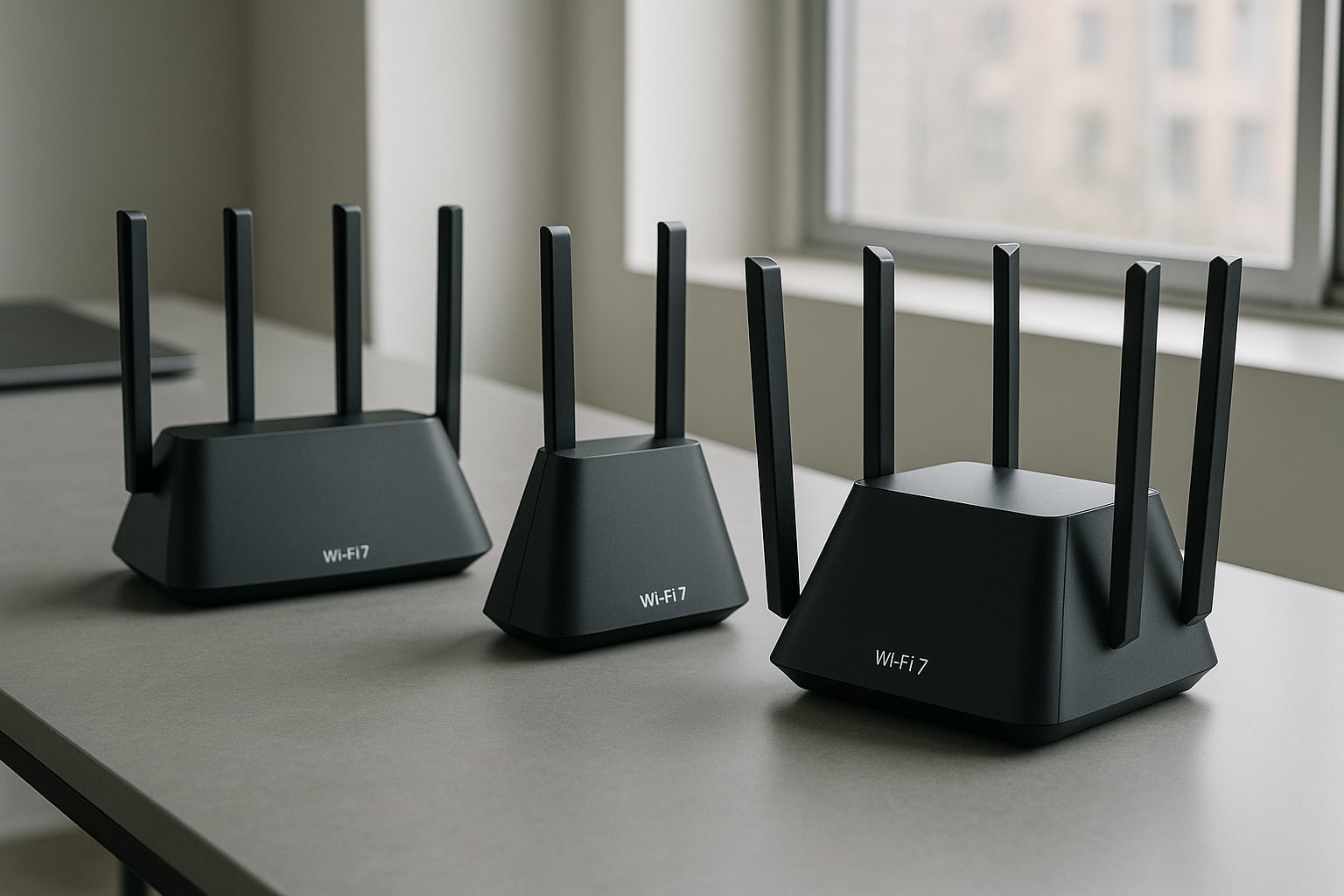
If you have symmetrical 1 or 10 Gbps fiber, a MacBook Pro M4 with Wi-Fi 7 and a house full of HomeKit devices, the operator’s router has become too small for you. The question is which of the three Wi-Fi 7 heavyweights is worth it: the Asus RT-BE96U, the TP-Link Archer BE800 or the Netgear Nighthawk RS700S. Let’s take a close look at them from the point of view of someone who uses a Mac every day, not just by looking at the box.
What Wi-Fi 7 really adds over Wi-Fi 6E
On paper, Wi-Fi 7 (802.11be) triples the maximum bandwidth of Wi-Fi 6E. In practice, three things matter: 320 MHz channels in the 6 GHz band (twice that of Wi-Fi 6E), 4096-QAM modulation (20% more data per symbol) and above all MLO (Multi-Link Operation), which allows a device to use two bands at the same time in an aggregated way.
MLO is the real change. If your iPhone 16 Pro is connected to 5 GHz and 6 GHz simultaneously, latency drops and if one band gets congested, the other picks up the slack. For FaceTime, work video calls or cloud gaming, you can notice it.
That said, with a 2024 MacBook Air M3 13", which still uses Wi-Fi 6E, you won’t squeeze out Wi-Fi 7. You’ll see the leap with the MacBook Pro M4 (Wi-Fi 7 confirmed), iPhone 16 Pro/Pro Max and iPad Pro M4. If your device fleet is older, a Wi-Fi 6E router is still sufficient and considerably cheaper.
Summary specifications table
| Specification | Asus RT-BE96U | TP-Link Archer BE800 | Netgear Nighthawk RS700S |
|---|---|---|---|
| Class | BE19000 | BE19000 | BE19000 |
| Bands | Tri-band (2.4/5/6 GHz) | Tri-band (2.4/5/6 GHz) | Tri-band (2.4/5/6 GHz) |
| 320 MHz channels | Yes (6 GHz) | Yes (6 GHz) | Yes (6 GHz) |
| MLO | Yes | Yes | Yes |
| 10 GbE ports | 2 (1 WAN/LAN + 1 LAN) | 2 (1 WAN/LAN + 1 LAN) | 1 (WAN) + 1x 10 GbE LAN |
| 2.5 GbE ports | 4 LAN | 4 LAN | 4 LAN |
| USB | 2 (3.2 Gen 1) | 1 (3.0) | 1 (3.0) |
| Antennas | 8 external | Internal | Internal |
| RRP Spain (August 2026) | 649 € | 599 € | 849 € |
Asus RT-BE96U: the one that gives you the most control
The RT-BE96U is the classic Asus: eight external antennas, an administration panel loaded with options and AiMesh to expand with any other compatible Asus router. If you come from an RT-AX86U or similar, you’ll feel right at home.
The best part: the software. You can set up VLANs, server and client VPN (WireGuard included), adaptive per-device QoS and AiProtection Pro with Trend Micro. For teleworking with a Mac, having native WireGuard is a real pleasure: you connect from outside to your home NAS without depending on external services.
The least good part: the looks. With those eight antennas it takes up a lot of space and it’s not exactly decorative. If the router is going to be on display in the living room, it stands out.
Real coverage in a 110 m² flat with brick walls: it reaches the whole house well on 5 GHz, and on 6 GHz it covers about 8-10 metres through a wall before the device drops to 5 GHz.
TP-Link Archer BE800: the most balanced in terms of value for money
The Archer BE800 is the best fit for most people. Same class level (BE19000), two 10 GbE ports, internal antennas and a vertical design with a front LED display that you can customise or switch off from the app.
The HomeShield software handles the basics well: parental controls, QoS, guest network with a separate SSID. The mobile app is cleaner than Asus’s, though less deep. For someone who wants to set it up and forget about it, it’s ideal.
Weak point: the VPN ecosystem is weaker. It has OpenVPN and PPTP, but no native WireGuard. If you use VPNs regularly, you’ll lose out there.
With HomeKit and Matter/Thread accessories it works without friction. The 2.4 GHz network handles dozens of IoT devices well without collapsing, something that was a pain on older routers.
Netgear Nighthawk RS700S: the most expensive and the most gaming-oriented
The RS700S targets the user who wants maximum performance without arguing about price. Tower design, generous cooling and one 10 GbE WAN port plus another 10 GbE LAN, ideal if you have a NAS with multigigabit networking.
Here’s the catch: Netgear’s software has become very subscription-dependent. Netgear Armor (security) and advanced parental control features are behind an annual payment (about 100 €/year). The router is powerful, but you pay twice if you want everything unlocked.
Raw performance on 6 GHz: it sustains high peaks best at short range. With an iPhone 16 Pro placed next to the router I’ve seen 2.3 Gbps real throughput on Wi-Fi 7 with MLO active. At 5 metres and one wall, it drops to 1.4-1.6 Gbps, in line with the other two.
MLO in practice: which Apple devices take advantage of it today
As of August 2026, MLO works on:
- iPhone 15 Pro/Pro Max, iPhone 16 (the whole range) and iPhone 17 (native Wi-Fi 7).
- iPad Pro M4 and iPad Pro with M5 chip.
- MacBook Pro M4/M4 Pro/M4 Max and MacBook Pro M5.
- Mac mini M4 and Mac Studio M4 Max/Ultra.
The 2024 MacBook Air M3 13"/15", the iPad Air M2 and the standard iPhone 15 remain on Wi-Fi 6E. They will connect to the router without problems, but they don’t take advantage of MLO or 4096-QAM.
If you have a powerful Mac Studio connected to your network and you work with heavy files from a NAS, the bottleneck will be the Ethernet port rather than the Wi-Fi.
10 GbE ports: when they make sense
If your operator gives you 1 Gbps fiber, a router with 10 GbE is throwing money away unless you use the second port to connect a NAS. With symmetrical 10 Gbps fiber (available in Spain with Digi, MásMóvil and some Movistar packages), it does pay off.
Here the RT-BE96U and the Archer BE800 tie with two 10 GbE ports each. The RS700S has only one, though very well implemented.
Recommendations by user profile
HomeKit home and many IoT devices: Archer BE800. Stable, discreet, the app works well and the 2.4 GHz band handles the dozens of accessories that usually come with a Matter/Thread setup well.
Teleworking with a Mac and regular VPN use: Asus RT-BE96U. Native WireGuard, AiMesh to extend coverage and granular per-device QoS control. For anyone who works in the terminal and wants to fine-tune, it’s the winner.
Competitive gaming and 10 Gbps fiber: Netgear Nighthawk RS700S. Low latencies, sustained performance and gaming traffic prioritisation. Accept that you’ll pay the Armor subscription.
Small home or flat up to 80 m² with mixed Wi-Fi 6E/7 devices: none of the three. Save your money and buy a Wi-Fi 6E BE3600 for 200 €. You won’t notice the real difference.
When NOT to buy a Wi-Fi 7 router yet
If most of your devices are Wi-Fi 6 or older, if your operator gives you 600 Mbps fiber or less, or if the operator’s router already covers your home well. Wi-Fi 7 shines when the rest of the ecosystem is up to the task. Otherwise you’re spending 600-800 € without seeing any difference.
And watch out for updates: all three models keep receiving firmware that improves MLO stability and compatibility with Apple clients. Before drawing conclusions about speed, update the router and restart your iPhone or Mac after the initial pairing.