iPhone battery draining fast: causes and fixes that actually work
If your iPhone drains fast, it's not always the battery: it could be an app running in the background, an iOS bug or the signal. Here is the step-by-step diagnosis and the solutions that really work.
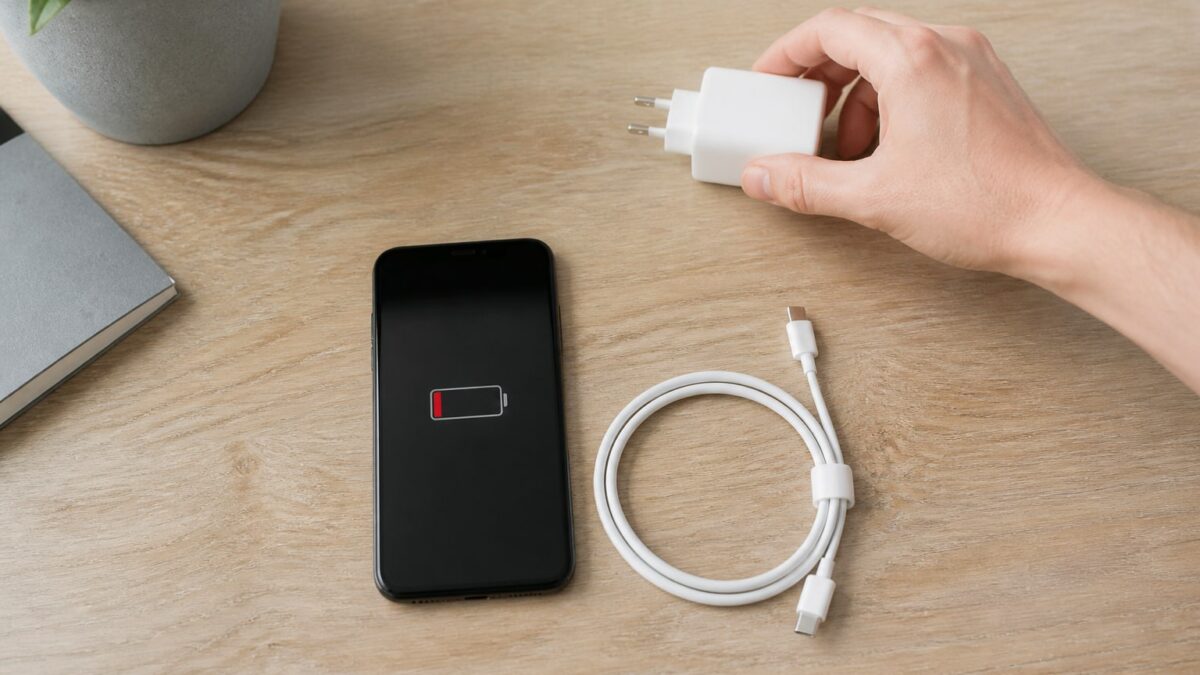
If you’ve noticed that your iPhone has been draining fast lately, before thinking about replacing the battery you should rule out some simpler causes. A badly coded app, a recent update or 5G searching for signal can burn through 20% of the battery in an hour without you noticing.
This takes 10-15 minutes of diagnosis and, if the problem is software-related, you should normally notice an improvement within 24-48 hours.
Prerequisites
You need iOS 16 or later to see the detailed battery breakdown by app (in earlier versions the information is more limited). Everything I describe here has been tested on iOS 18.1 and iOS 18.2. No jailbreak or third-party apps are required; everything is done from Settings.
First: check the battery health
Before looking for culprits in the software, check the physical state of the battery:
Settings → Battery → Battery Health & Charging
There you will see the “Maximum Capacity” as a percentage. Apple considers a battery to be in good condition above 80%. Below that, you will notice the iPhone draining fast even with normal use, because the battery no longer holds the same charge as it did when new.
| Maximum Capacity | What it means |
|---|---|
| 90-100% | Battery in good condition, rule out this factor |
| 80-89% | Normal degradation after 2-3 years of use |
| Below 80% | Apple recommends a check; you will notice faster drain |
Most common causes of an iPhone draining fast
Apps consuming battery in the background
Go to Settings → Battery and scroll down to the usage-by-app chart for the last 24 hours or 10 days. If you see an app with a “Background Activity” percentage that is out of proportion to how much time you actually spend using it on screen, that’s your problem. Social media with video autoplay and navigation apps tend to be the biggest offenders.
Degraded battery health
As we saw above, a battery below 80% maximum capacity runs out quickly even if the software is perfect. No setting will fix this: it is physical wear from charge cycles.
Outdated iOS or a recent bug
iOS updates sometimes introduce battery bugs that Apple fixes in the next minor version. If consumption spiked right after installing an update, you are not alone: search for it on forums like MacRumors or Reddit, there are usually version-specific threads.
Display, brightness and Always-On Display
The display is the component that consumes the most battery in daily use. Auto-brightness helps, but if you have Always-On Display enabled on an iPhone 14 Pro or later, idle consumption rises noticeably.
Weak signal, 5G and constant location
If you are in an area with poor coverage, the iPhone boosts the antenna power to maintain the connection, and that shows up in battery life. The same happens with 5G on networks where coverage is patchy, and with apps that constantly request your location in the background.
Solutions that really work
- Check usage by app in Settings → Battery and uninstall or restrict the apps that consume the most in the background without you using them.
- Update to the latest iOS version available in Settings → General → Software Update. If the bug is known, Apple usually fixes it in minor patches.
- Turn off Background App Refresh for apps you don’t need updating in real time: Settings → General → Background App Refresh.
- Limit location services to “While Using the App” in Settings → Privacy & Security → Location Services, app by app.
- Lower the brightness or enable auto-brightness and turn off Always-On if you don’t really use it.
- Review push notifications from apps you don’t need in real time: every notification wakes the screen and the processor.
Low Power Mode: when to use it and what it turns off
Low Power Mode is enabled in Settings → Battery → Low Power Mode, or from Control Center. It reduces brightness, pauses background app refresh, visual effects and automatic mail fetching. It is not a permanent fix, but it is the right tool to stretch the day when you know you won’t be able to charge.
Calibrating the iPhone battery: myth vs reality
“Calibrating” by draining to 0% and charging to 100% once a month does not fix a degraded battery, but it does help the system estimate the remaining percentage more accurately. If your iPhone shuts off suddenly with 20% showing on screen, this is exactly what you need to do.
Common problems
- The percentage suddenly jumps: this is usually a software calibration issue, not a physical battery problem. Try a full charge/discharge cycle.
- The battery drains faster in winter: cold affects the chemical performance of lithium batteries, it is normal and does not indicate a fault.
- A specific app eats the battery even when you don’t open it: check its location and notification permissions, not just “background activity”.
- The problem started after restoring a backup: sometimes a corrupted setting travels with the backup. Try setting up as new and see if it improves.
- Still the same after trying everything: ask for a battery check at an Apple Store or an Authorised Service Provider, it may be a faulty component.
FAQ
Why does my iPhone suddenly lose battery quickly? Most likely a recently installed or updated app, or a bug in the latest iOS version. Check Settings → Battery first.
Does Low Power Mode damage the battery in the long term? No. It is a software feature that reduces consumption; it does not affect the battery chemistry or speed up its degradation.
When should I replace the iPhone battery? When the maximum capacity drops below 80% in Settings → Battery → Battery Health & Charging, or if the iPhone shuts off on its own while a percentage is still showing.
Does updating iOS always improve battery life? Not always. Sometimes a major update temporarily worsens consumption until the first corrective patch, but overall Apple optimises consumption with each version.
Do background apps use a lot of real battery? It depends on the app. Video streaming or GPS navigation apps do consume noticeably; text or notes apps barely affect it.